Decide which problem you are solving
A travel router can be useful when you want a consistent local network for several devices or need a wired device to use an available wireless connection. It is not a guarantee that a hotel login, weak upstream service, or a venue's access policy will work as you want.
This guide is based on current GL.iNet documentation. We have not tested hotel networks or measured a router's performance. The checks are a diagnostic planning sequence, not evidence that one model works at every property.
| Your situation | First step | Buying implication |
|---|---|---|
| One laptop cannot complete hotel login | Try the venue's documented login and ask staff | Another router may add a second login problem |
| Several devices repeatedly need setup | Define the desired shared local network | Travel-router features may be useful |
| Both phone and router have poor internet | Compare the upstream connection at the same time | A new local router may not solve the bottleneck |
| An Ethernet-only device must join Wi-Fi | Check bridge/repeater capabilities for the exact model | A suitable device can solve a concrete compatibility need |
Work through the failure in order
- Record the exact router model, firmware, hotel network name, and time. A successful test at home is not proof of hotel compatibility.
- Confirm an ordinary device can connect using the venue's permitted process. If it cannot, start with staff or the upstream service.
- Check whether the router has joined the wireless network and received an upstream address. Keep that separate from having internet access.
- Complete the public-hotspot login according to the model's current documentation. GL.iNet documents a Public Hotspot Login Mode and other troubleshooting paths; interface and firmware matter.
- If VPN or custom DNS is configured, follow the vendor's relevant troubleshooting guidance and record changes. Do not permanently disable protections merely because an old forum comment suggests it.
- After any temporary change, restore the intended configuration and verify it. If access remains unavailable, ask staff rather than assuming a purchase is the next step.
What to check before selecting hardware
Do not compare advertised Wi-Fi link rates as if they were measured internet throughput. Your local radio, uplink, service, VPN path, and device can each constrain the result. This publication does not provide a product speed ranking.
| Requirement | Question to answer |
|---|---|
| Power | Can your actual charger and cable supply the model's required input? |
| Ports | Do you need wired uplink, a wired client, or both simultaneously? |
| Wireless mode | Does the documented mode support your intended upstream network? |
| VPN | Which protocol and endpoint do you need, and is it supported? |
| Support | Is there current documentation and a firmware/update process? |
| Full cost | What will cables, adapters and any separate service add? |
A purchase should close a specific gap
Write one sentence: 'I need this device to do X with these existing devices under these conditions.' If the answer is simply 'make bad hotel internet good,' investigate further. A return window and a documented test plan can be more useful than an extra specification you will never use.
The worksheet separates observations from proposed fixes. Record what happened before changing a setting, then change one variable where practical. Follow venue rules and your employer's requirements for any work device.
Watch demos / Official walkthroughs
See the hardware in action.
Videos load from YouTube only when you press play. These are provider videos, not our own product tests.
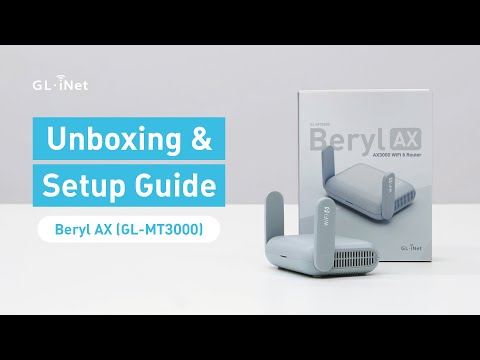
GL.iNet / Official video
Beryl AX (GL-MT3000) - Unboxing and Setup Guide
What to look for: Identify the hardware connections and setup steps for Beryl AX; other models can differ.
Watch on YouTubeYour next step / Review the option
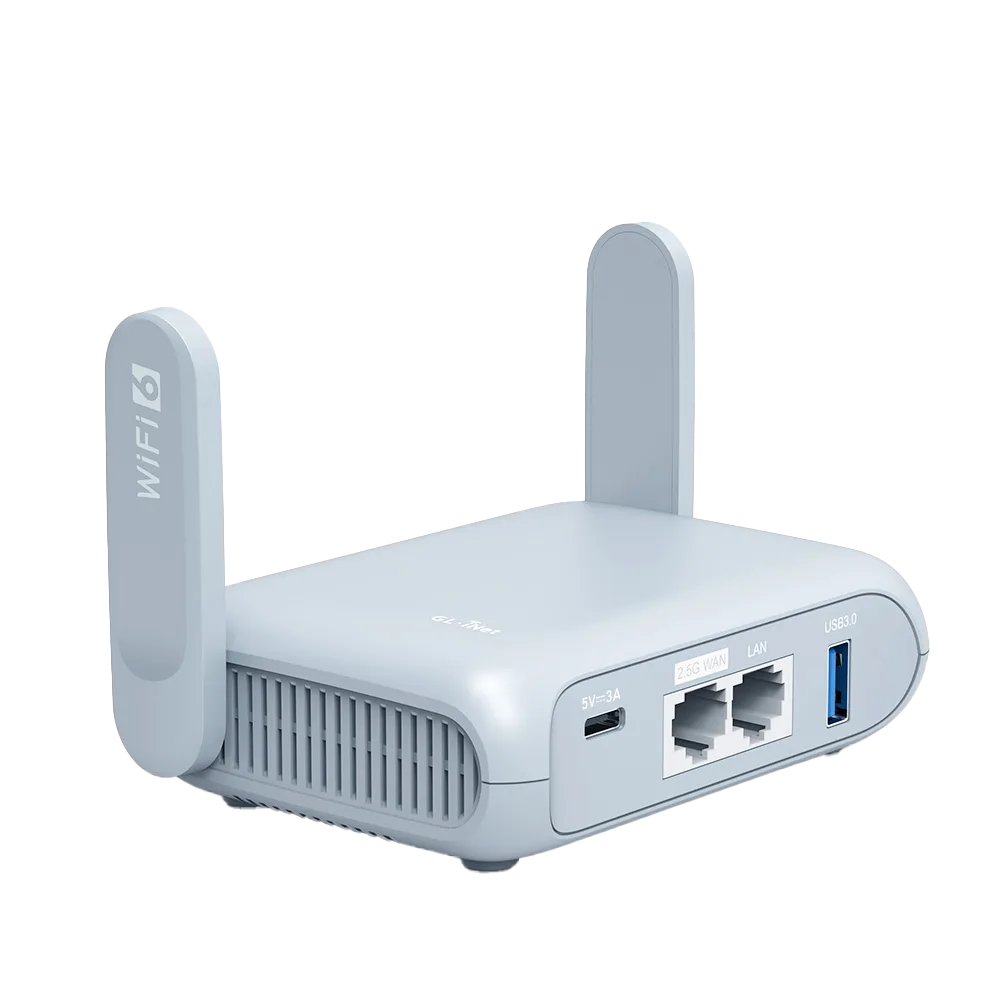
Beryl AX (GL-MT3000)
Compare with Opal when the documented Wi-Fi 6 and port capabilities matter.
$98.99 observed USD base price; tax/shipping/accessories extra
Documentation-based candidate, not tested. Confirm region, stock, complete price, and required components.
Ordinary provider link. No affiliate partnership claimed. Link disclosure
Questions before you decide
Will a travel router fix slow hotel internet?
Not necessarily. A router cannot create upstream capacity the hotel connection lacks. Establish whether the problem is joining Wi-Fi, completing the login, or reaching the internet before buying. Advertised Wi-Fi rates do not establish the internet speed you will receive.
What should I check before buying a GL.iNet travel router?
Match the exact model's documented ports, power requirements, connection modes, and VPN features to your task. Review its captive-portal guidance and the venue's permitted connection process. A successful setup at one venue would not guarantee another; this guide reports no hands-on hotel tests.
Sources & verification
Product details and prices can change. Check the linked provider before buying.
- GL.iNet: connect to a public hotspot with a captive portal Accessed 2026-09-13
- GL.iNet router documentation Accessed 2026-09-13
Sources link directly to providers. Product buttons may use separately labeled affiliate links. Read our disclosure.