Locate the failing layer
A travel router creates two different connections: your laptop joins your router, and the router joins the hotel's network. Either can work while the other fails. A third step, the hotel's captive portal, may still require sign-in or acceptance before traffic reaches the internet. Record which of these steps succeeds before changing settings.
This is a documentation-based troubleshooting workflow for GL.iNet routers using firmware 4.x, not a report of testing every hotel or router model. Menu names and capabilities vary by firmware. Record the model and installed version, then follow the corresponding manufacturer page. Ask the hotel whether personal routers are permitted; a technical workaround is not permission to evade its access terms.
Start with a direct connection and a known network name
Ask staff for the exact Wi-Fi name and official login method. On one device, disconnect from the travel router and join that network directly. Temporarily avoid cellular fallback for this test so that a working page cannot be mistaken for working hotel Wi-Fi. Complete the hotel's normal login and visit a new HTTPS page. If direct access fails too, resolve the room credentials, service outage, or access entitlement with staff first.
Reconnect that device to your travel router. In the router administration page, check that repeater mode joined the correct upstream network and received network settings. Do not factory-reset a working configuration just because a portal failed to appear. Save a record of current DNS and VPN settings before making reversible changes.
Use the supported login mode before manual changes
GL.iNet documents Public Hotspot Login Mode for firmware 4.6 and later. The manufacturer says this mode can temporarily suspend services and switch DNS to automatic. Treat that as a reduced-protection interval: pause unrelated browsing and background work while completing the portal. Availability on your device should be verified in its current interface.
The same documentation gives a manual troubleshooting path involving DNS, VPN connections, and AdGuard Home. Change only the relevant setting, record its previous value, and retry the login. Prefer the hotel's known portal address or the manufacturer's documented sequence. Do not click through a certificate warning on a site that normally uses HTTPS, and do not enter unrelated account credentials into an unexpected portal.
Choose the next step from the symptom
| Observed symptom | Likely boundary to inspect | Useful next check |
|---|---|---|
| Direct device also cannot sign in | Hotel service or credentials | Ask staff to verify network and access |
| Laptop cannot open router admin | Laptop-to-router connection | Confirm local SSID and configured admin address |
| Router has no upstream connection | Repeater association | Rejoin the verified hotel SSID |
| Upstream joined; portal absent | Authentication or DNS/VPN interaction | Use supported hotspot login mode |
| Portal succeeds; VPN then fails | Tunnel reachability or configuration | Check VPN status and provider diagnostics |
| Only previously opened pages work | Cache may mask failed connectivity | Request a fresh page and check status |
Restore protections and prove the result
Once login succeeds, restore the saved DNS, filtering, and VPN settings one at a time. Check the router's current connection state after each change. If your policy requires all traffic to use a VPN, verify the tunnel is connected and that the intended block-on-disconnect behavior is configured. A public-IP check can corroborate the expected exit network; it does not establish every application's routing or the absence of DNS leaks.
Our suggested acceptance check is three-part: a fresh HTTPS page loads, the required VPN and DNS settings are restored, and a second client can connect under the hotel's permitted usage. Then disconnect and reconnect the first client to check that the session still works. A hotel may expire authorization later; record that as a new authentication event rather than assuming the router has failed.
Stop changing settings when the evidence points upstream
If the documented login path still fails, give staff a compact report: router model, firmware, verified SSID, whether direct access works, approximate failure time, and the last successful step. Do not include room credentials in a public forum. The manufacturer documents MAC-related options, but leave those to a supported, permitted troubleshooting path instead of guessing addresses or evading device limits.
The worksheet provides a before-and-after record for each change. Its main value is reversibility: if disabling a setting did not help, restore it before trying something else. Keep a cellular fallback or another permitted connection for time-critical work rather than spending the entire meeting window experimenting.
Watch demos / Official walkthroughs
See the hardware in action.
Videos load from YouTube only when you press play. These are provider videos, not our own product tests.

GL.iNet / Official video
Beryl AX (GL-MT3000) - Unboxing and Setup Guide
What to look for: Identify the hardware connections and setup steps for Beryl AX; other models can differ.
Watch on YouTubeYour next step / Review the option
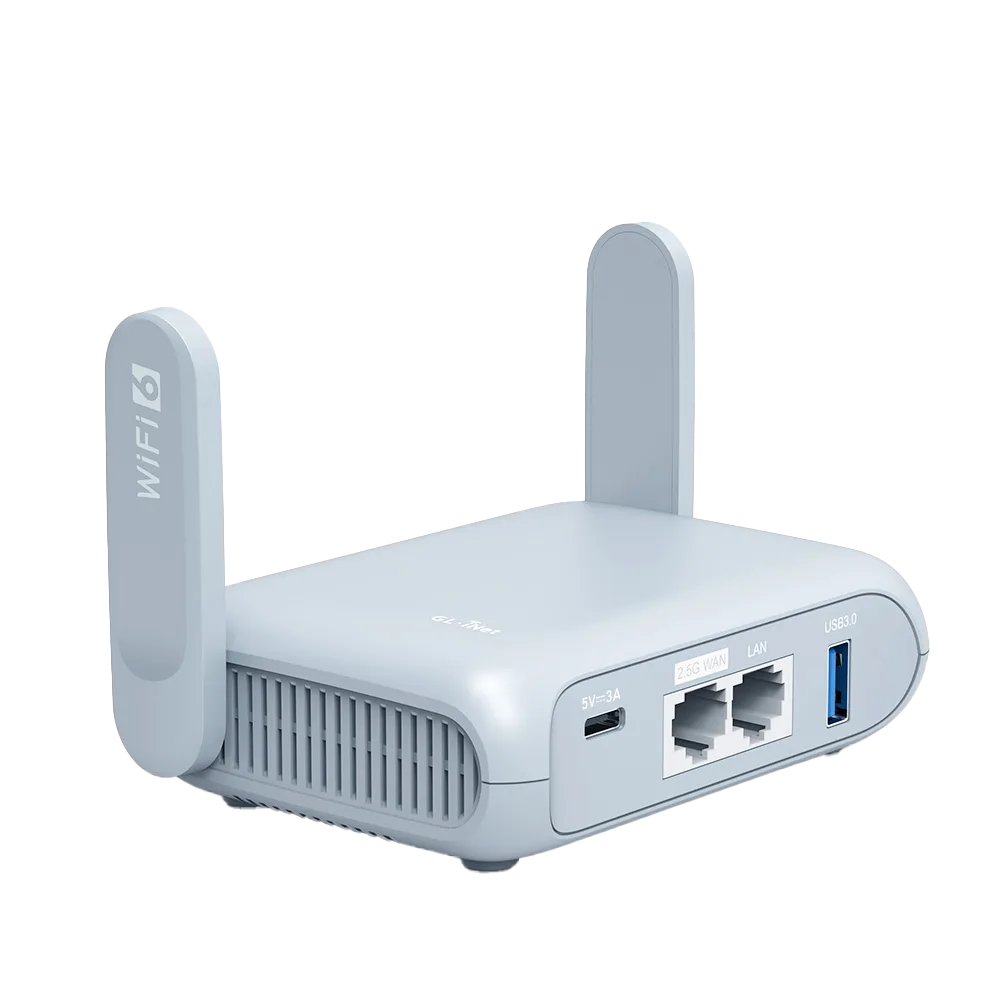
Beryl AX (GL-MT3000)
Compare with Opal when the documented Wi-Fi 6 and port capabilities matter.
$98.99 observed USD base price; tax/shipping/accessories extra
Documentation-based candidate, not tested. Confirm region, stock, complete price, and required components.
Ordinary provider link. No affiliate partnership claimed. Link disclosure
Sources & verification
Product details and prices can change. Check the linked provider before buying.
- GL.iNet: connect to a public hotspot with a captive portal Accessed 2026-09-13
Sources link directly to providers. Product buttons may use separately labeled affiliate links. Read our disclosure.